Agents build screens. A design system keeps them consistent.
An open-source, local-first UX design tool for developers who build interfaces with coding agents: the agent designs through MCP, you review in the browser, and the state is plain files on your disk.
npm install artisign
Screens drift. Every fix costs more than the last.
Agents write UI one screen at a time. Without a shared system, each screen re-derives its own greys, its own spacing, its own fourth button style — and consistency then depends on every future edit remembering every past decision, which no agent and no human does reliably.
Re-deriving is also the expensive way to do it: an agent that reads a design-system summary and composes refs needs far fewer tokens than one that re-derives visual decisions per screen.
Three moving parts, no hosted service you have to trust.
One Node process on 127.0.0.1. No database, no accounts, no hosting.
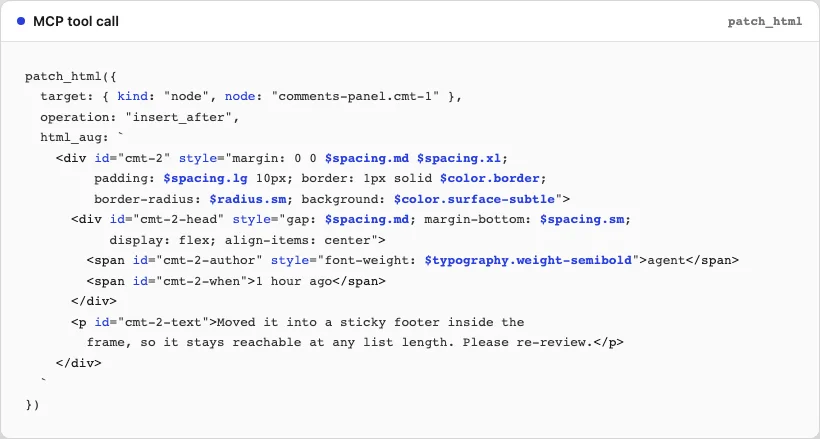
The agent designs through MCP
Claude Code or Claude Desktop connects to Artisign as an MCP server, with tools for reads, surgical writes, design-system changes, flows, comments and screenshots. The agent reads the design system first, then composes screens from refs.
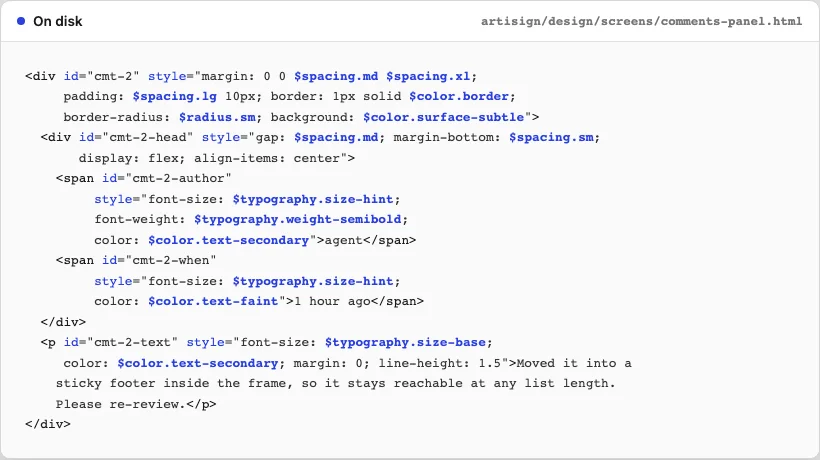
The state is plain files on your disk
Tokens, components, screens, flows and comments are human-readable, diffable files in your project folder. With autoCommit on, every write becomes one git commit named after the tool and its target — that is the audit log.
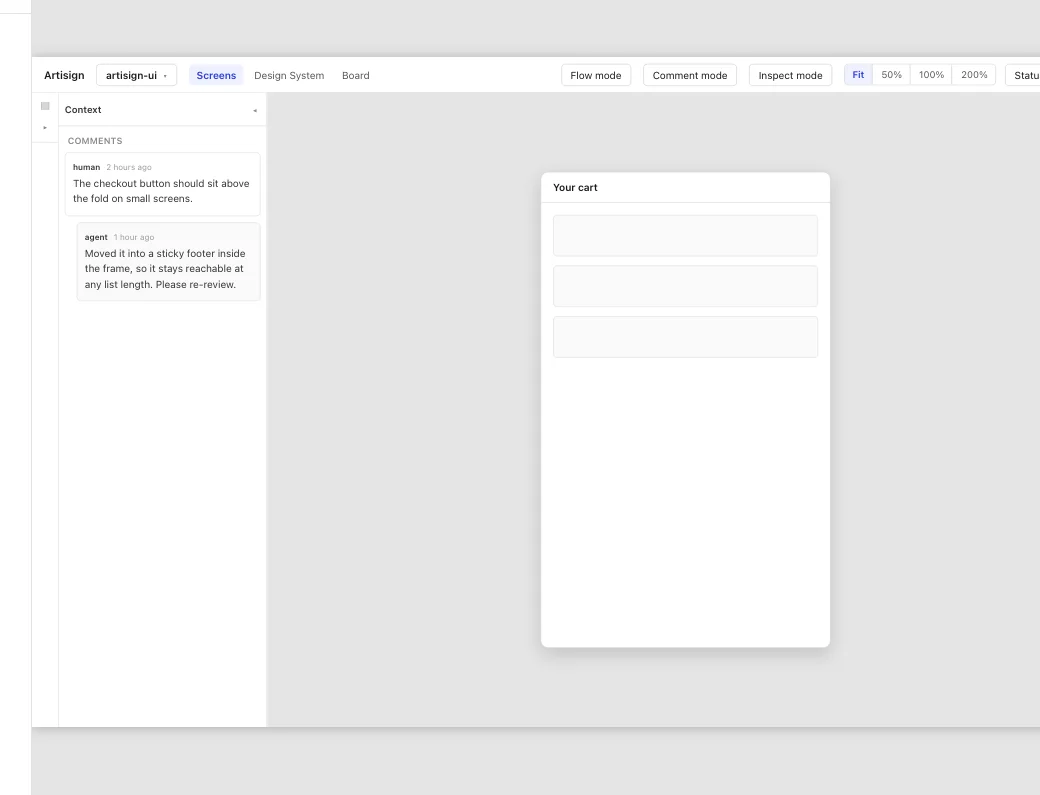
You watch it happen in the browser, and comment
The preview at 127.0.0.1:4711 renders the same source the agent writes and reloads on every file change. Click an element to anchor a comment; the agent picks it up with list_comments and answers with reply_comment.
Five surfaces you work in.
Everything below is the running app, not a mock-up of it. What you review is rendered from the same files the agent writes.
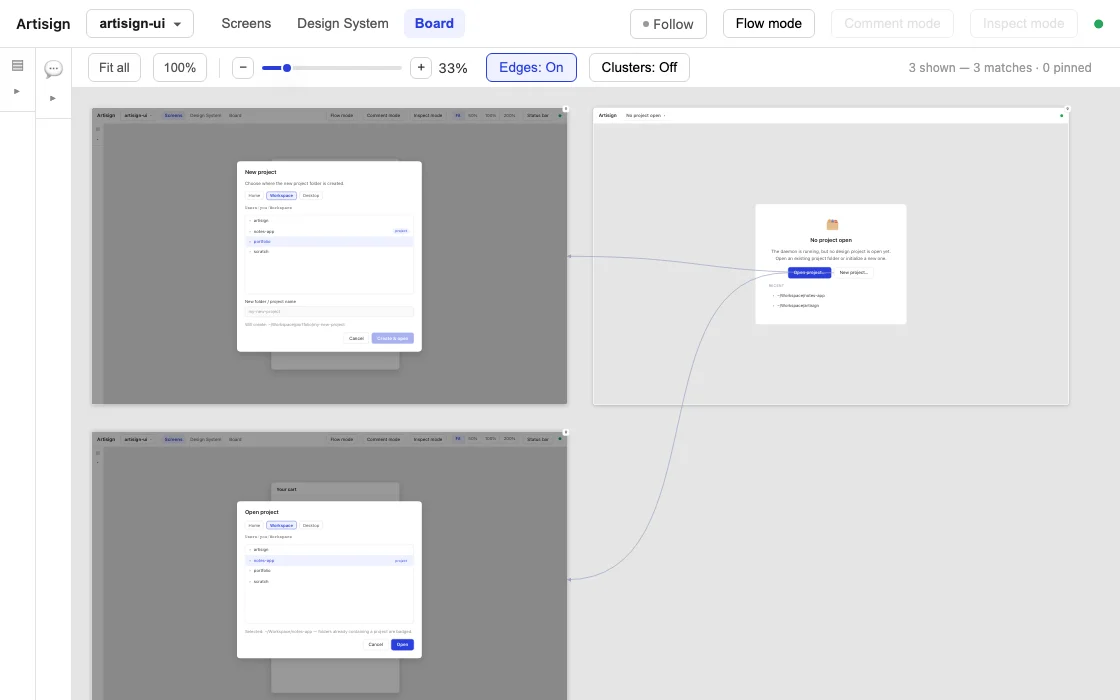
Board
The Board shows every screen as a tile on one surface, with the click routes drawn between them — so a flow is something you see rather than something you reconstruct.
Screen variants
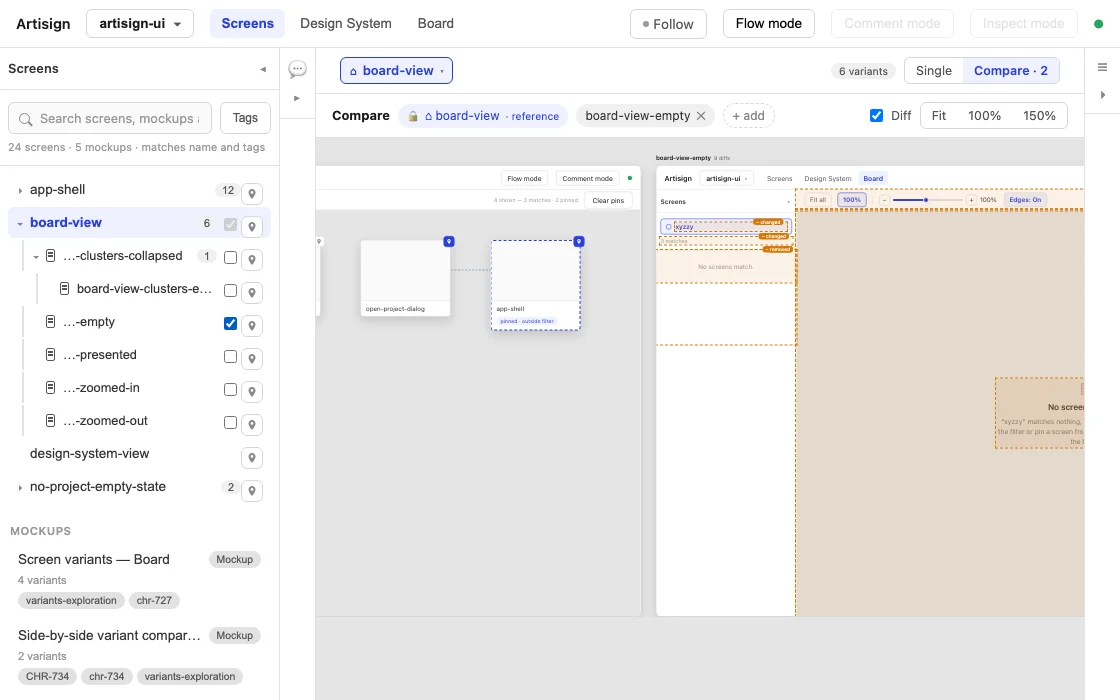
Many screens are another screen in a different state, an overlay on top of it, or a step after it. Variants record that: the sidebar shows each family as a tree, the Board draws it as one cluster, and Compare sets a screen beside its variants and marks what differs.
Flow mode
Flow mode makes the design clickable: click an element with a flow target and the preview jumps to the screen it points at, so you check a flow by walking it instead of reading a spec.
Screen details
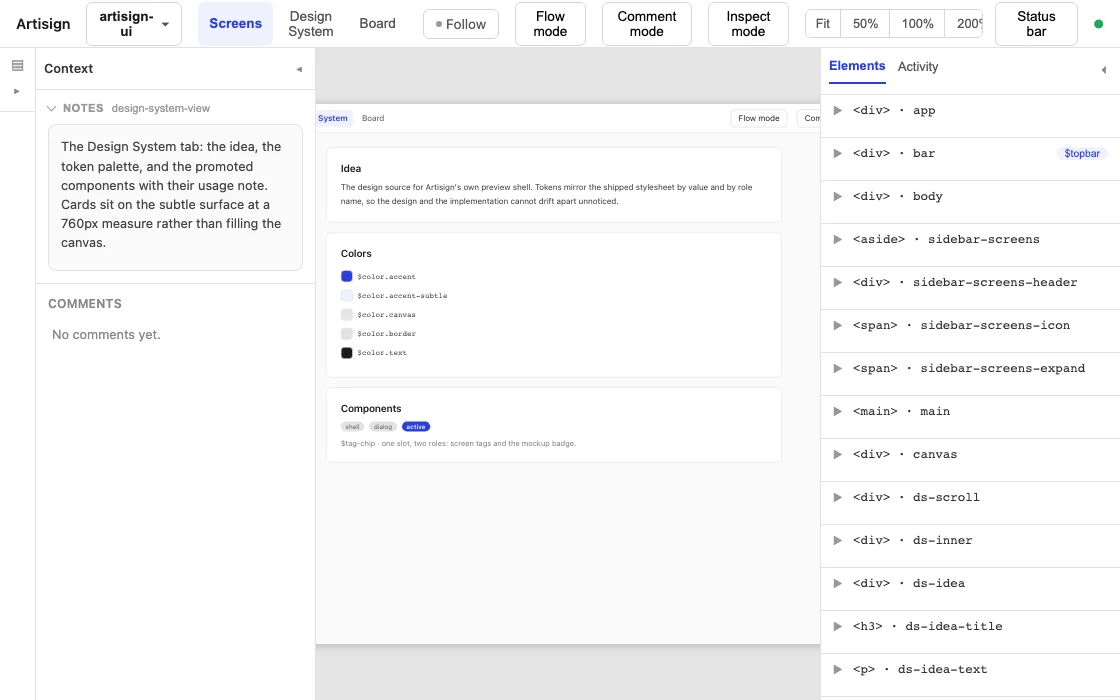
Elements lists a screen's nodes by the ids the agent addresses them with; Notes carries what a screenshot cannot — states, edge cases, content rules.
Mockups
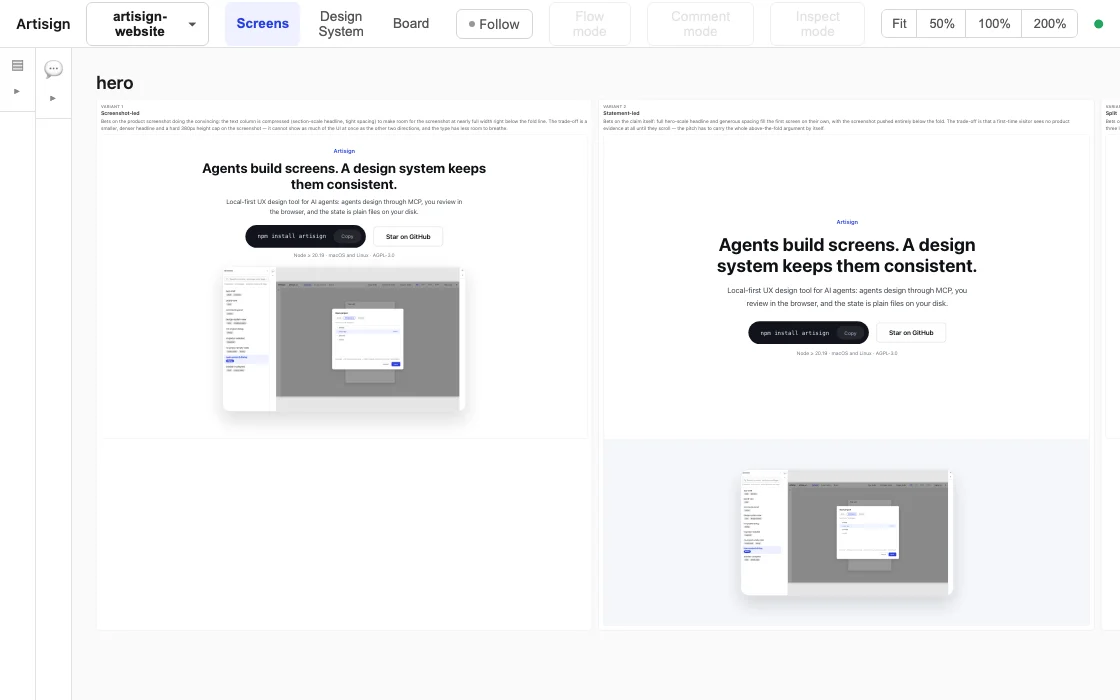
When the question is which direction rather than which detail, the agent writes one raw-HTML mockup per option and the preview shows them side by side. The winner is promoted into a real screen.
Four things it does that a folder of HTML does not.
Consistency across screens
The design system is first-class: screens reference shared tokens and components instead of repeating raw values. When every button is $btn-primary and every gap is $spacing.md, screens cannot drift apart — and a rebrand is one set_tokens call.
<button id="btn-login" class="$btn-primary" data-variant="hover"
        style="padding-inline: $spacing.md" data-flow-target="dashboard">
  Log in
</button>
$name in class is a component ref, $name in a style value is a token ref.
Token efficiency
Built for small contexts: tiered reads, field selection and diff mode on writes. find_nodes answers a cross-screen question in one call, and inspect_node returns geometry as text instead of a screenshot.
Flows as data
Click routes are data, not documentation: a flow target is an attribute on the element that triggers it, so a CTA that goes nowhere is a design you can detect.
Render determinism
The preview renders the source, so preview equals output by construction: the browser preview, the design-system view and every screenshot the agent takes come out of the same render.
The tool designed its own interface.
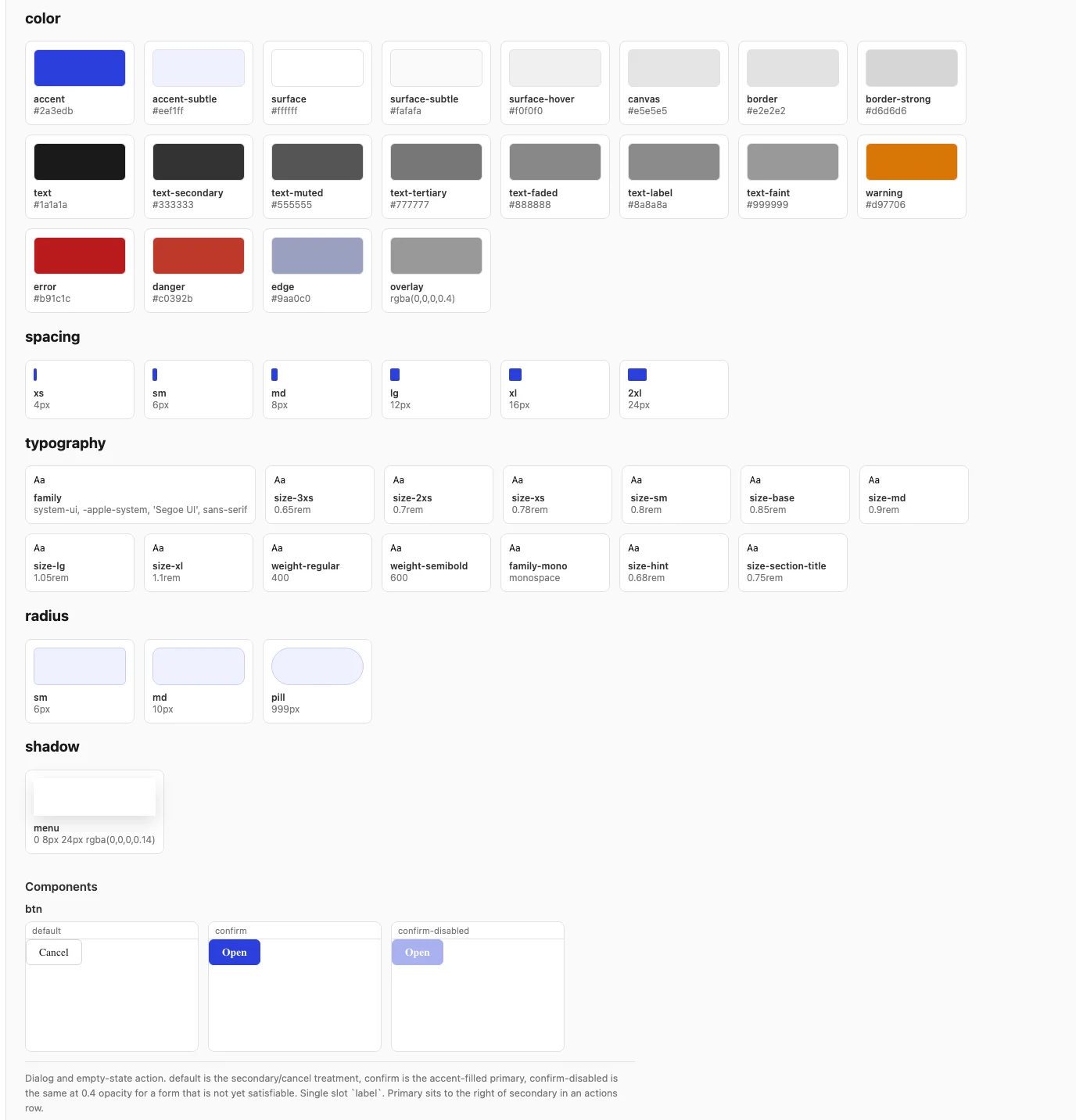
Artisign's browser preview is designed in Artisign: the design/ folder in the repo is a real project in the format above, and the source the interface at 127.0.0.1:4711 was designed from. It is the honest answer to whether the tool is good enough to build with — it built this one.
Two ways to start.
Node.js ≥ 20.19, on macOS or Linux.
Quick try — nothing to install
npx artisign start ./my-projectnpx fetches Artisign on first use. Screenshots work on this path too: install Playwright anywhere and point ARTISIGN_PLAYWRIGHT_DIR at it in the shell that starts the daemon — the README has the lines.
Full setup — with screenshots
mkdir artisign && cd artisign
npm install artisign
npm install --no-save playwright && npx playwright install chromium
./node_modules/.bin/artisign start ./my-projectA local install with Playwright next to it, so get_screenshot and inspect_node work from the first call.
Then — connect Claude Code
claude mcp add --transport http artisign "http://127.0.0.1:4711/mcp?project=/absolute/path/to/my-project"Open http://127.0.0.1:4711 to watch. The ?project= parameter scopes every tool call to that project, so one daemon can serve several coding projects. Claude Desktop connects over stdio instead — the README has that config.
Everything else — the tool reference, the agent guide, the design workflow tutorial — is in the repo.
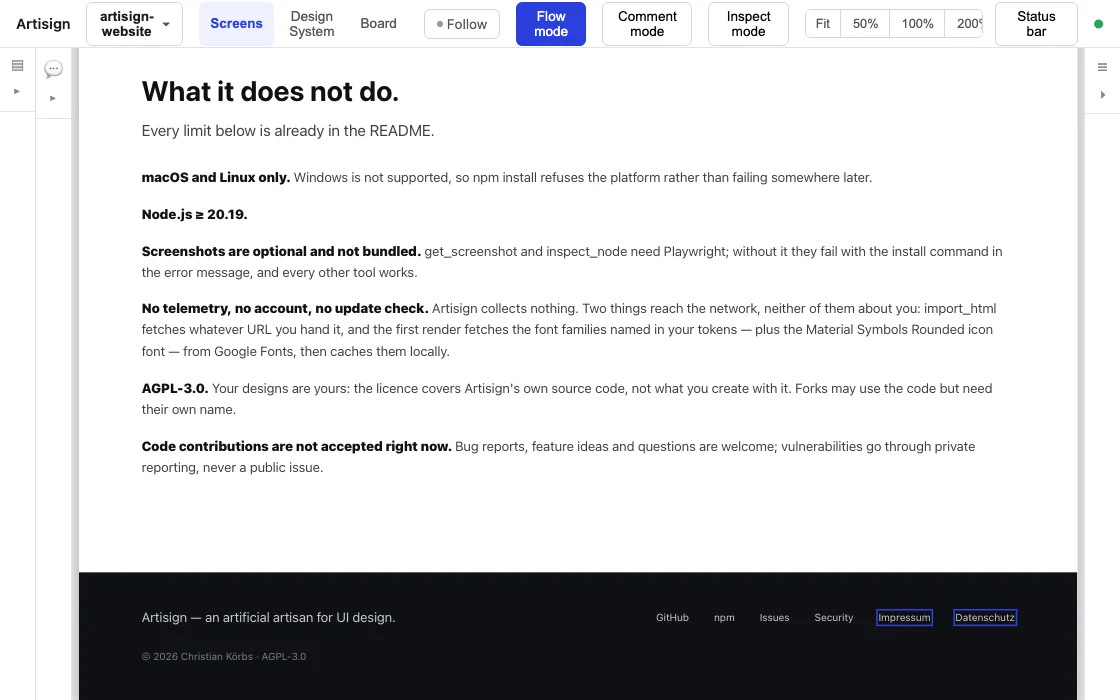
What it does not do.
Every limit below is already in the README.
- macOS and Linux only. Windows is not supported, so npm install refuses the platform rather than failing somewhere later.
- Node.js ≥ 20.19.
- Screenshots are optional and not bundled. get_screenshot and inspect_node need Playwright; without it they fail with the install command in the error message, and every other tool works.
- No telemetry, no account, no update check. Artisign collects nothing. Two things reach the network, neither of them about you: import_html fetches whatever URL you hand it, and the first render fetches the font families named in your tokens — plus the Material Symbols Rounded icon font — from Google Fonts, then caches them locally.
- AGPL-3.0. Your designs are yours: the licence covers Artisign's own source code, not what you create with it. Forks may use the code but need their own name.
- Code contributions are not accepted right now. Bug reports, feature ideas and questions are welcome; vulnerabilities go through private reporting, never a public issue.