Plain files.
Use case specs live in a usecases/ folder next to your screens. A project without it works as before.
acme/
├── screens/
└── usecases/
    ├── cases/
    ├── personas.json
    ├── data-objects.json
└── world.jsonIn artisign, a use case spec describes one flow a person goes through in your app: who acts, with which data, step by step. Your agent writes it through MCP before it designs, you review and edit it in the browser, and your coding agent later builds and tests against it.
npm install -g artisign
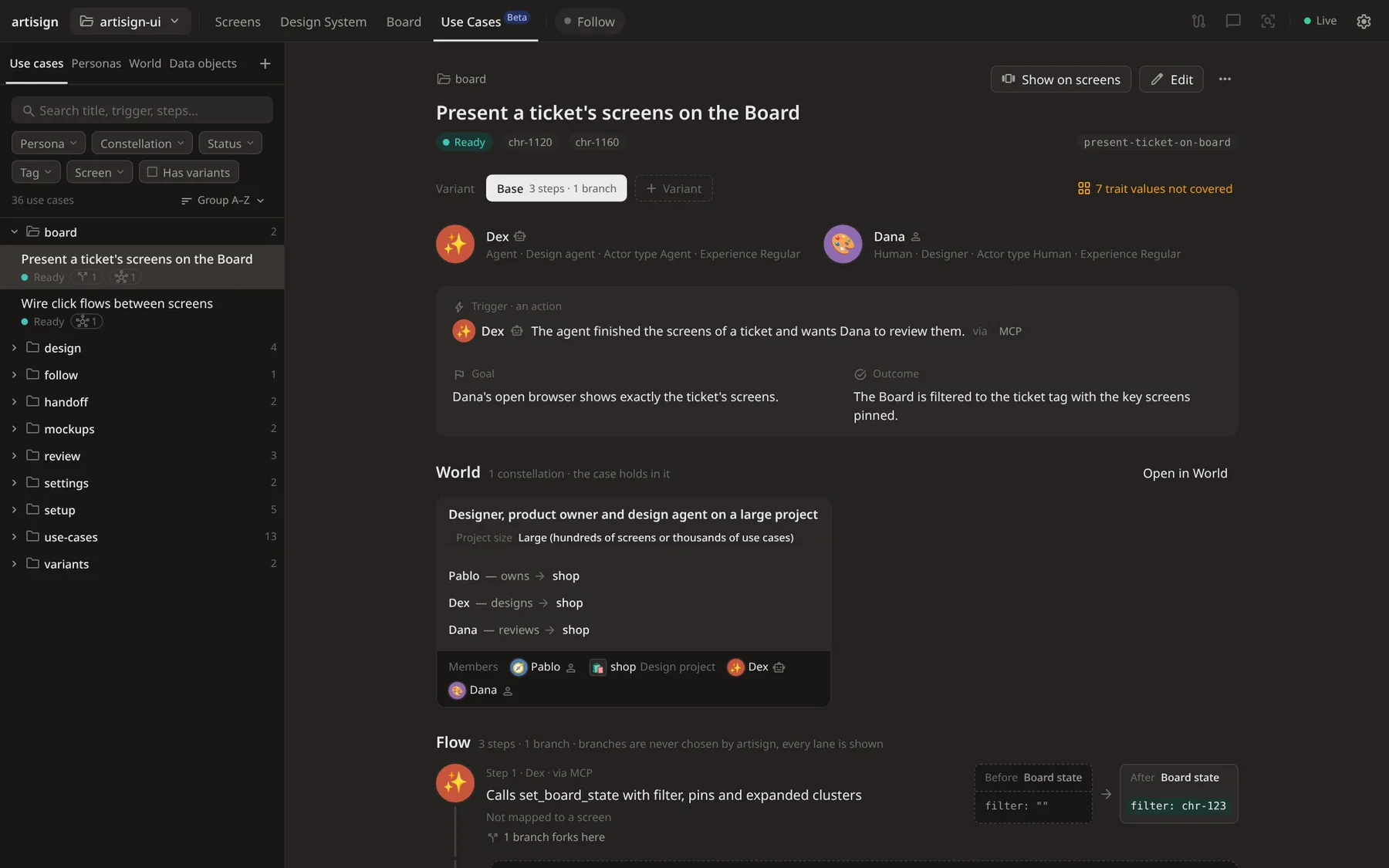
Each part is data your agent writes with set_use_cases and you can edit in the Use Cases tab (beta). A missing trait means any value.
Dimensions such as role or project size; personas pick their values. generate_personas fills the gaps pairwise.
An action of a persona, with the interface it uses, or a state or a point in time. The state says what holds before the case starts.
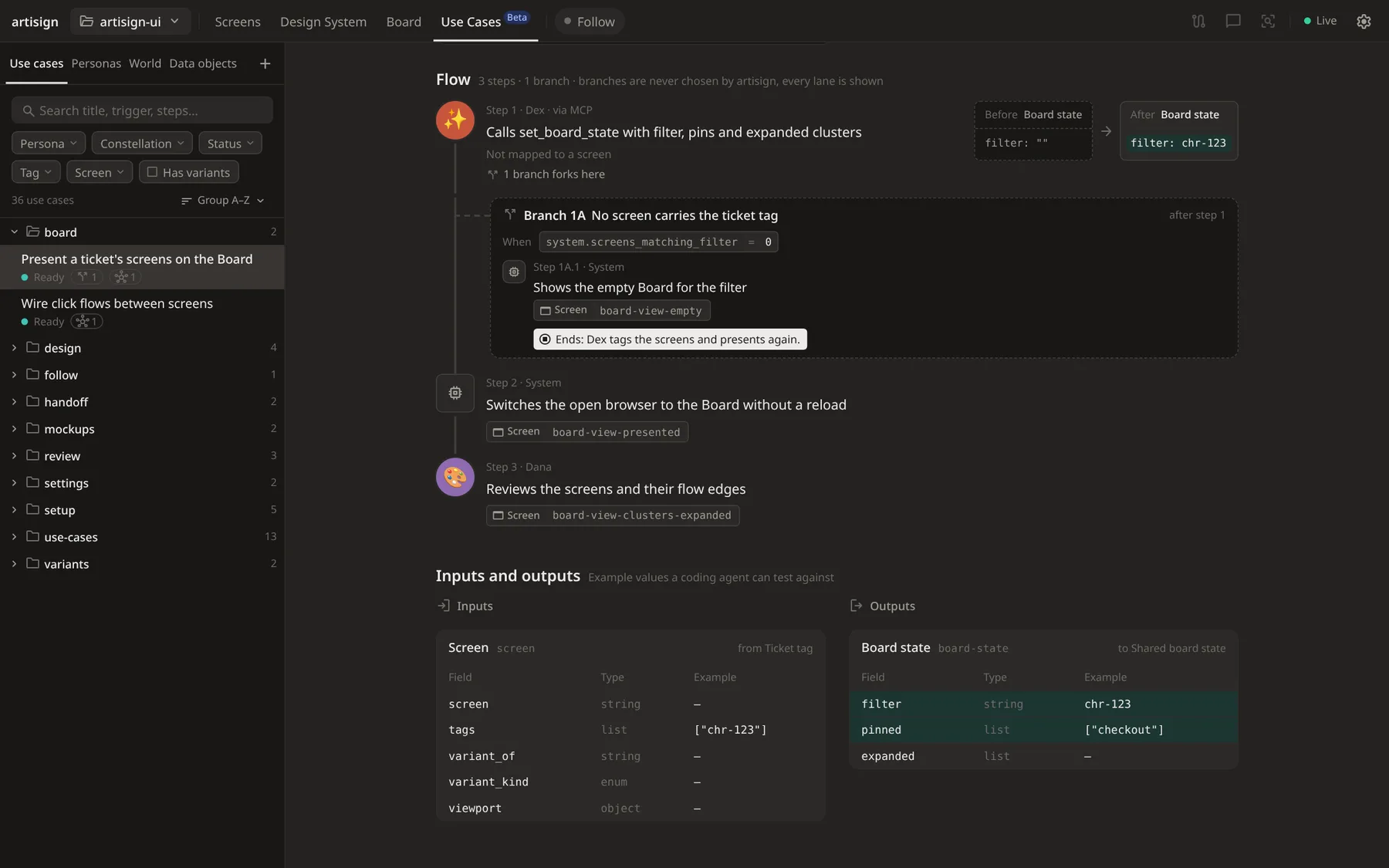
The main flow, step by step. Each step can point at a screen and an element.
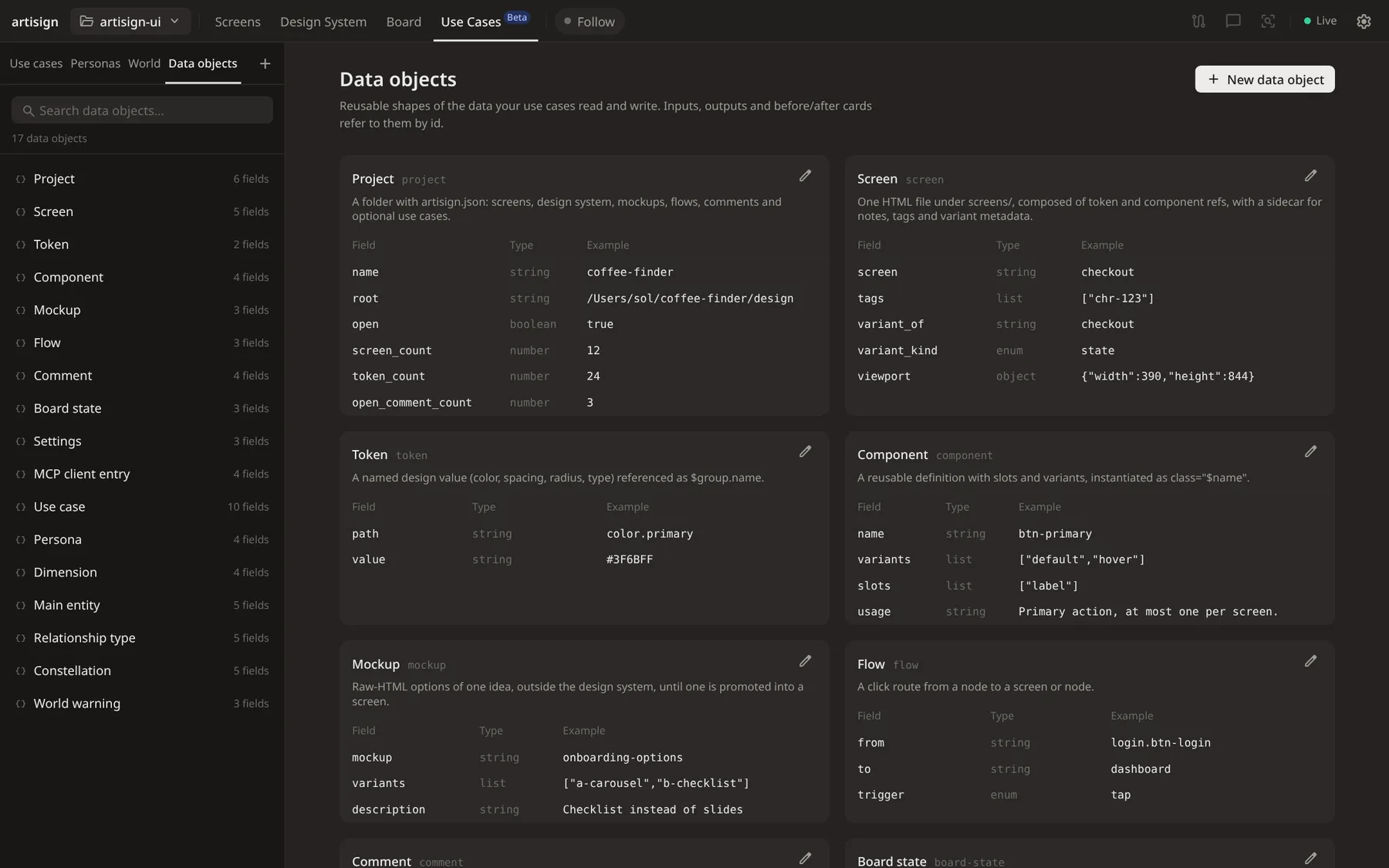
The data the case reads and writes, with fields, types and example values.
The same case for another persona or another world. suggest_use_case_variants lists the trait values no variant covers yet.
Alternative paths that fork when a condition holds, then rejoin the flow or end the case.
When the situation matters, a use case spec names its world: entities with identity, the relationships between them, and constellations, the fixed starting worlds a case can begin in.
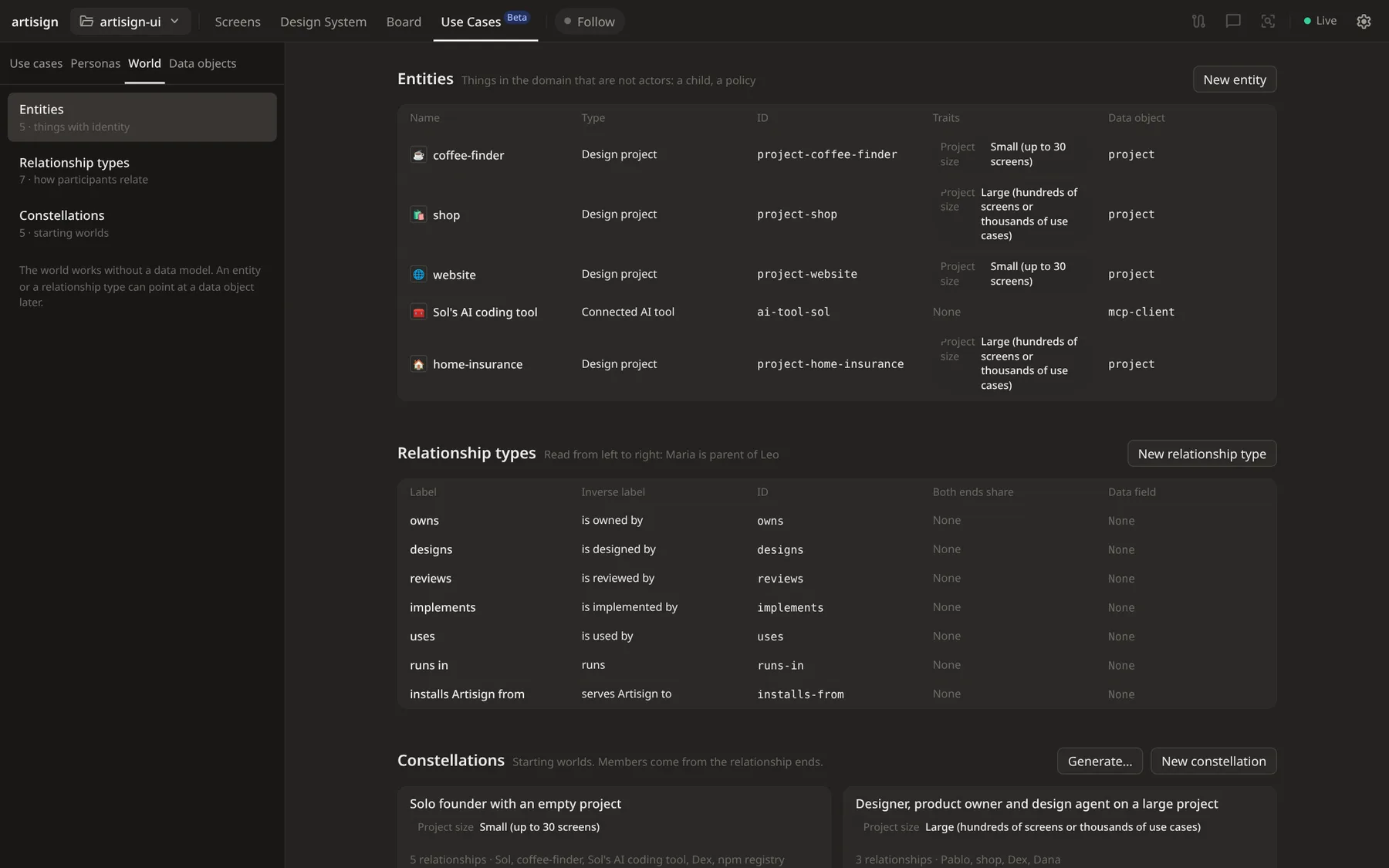
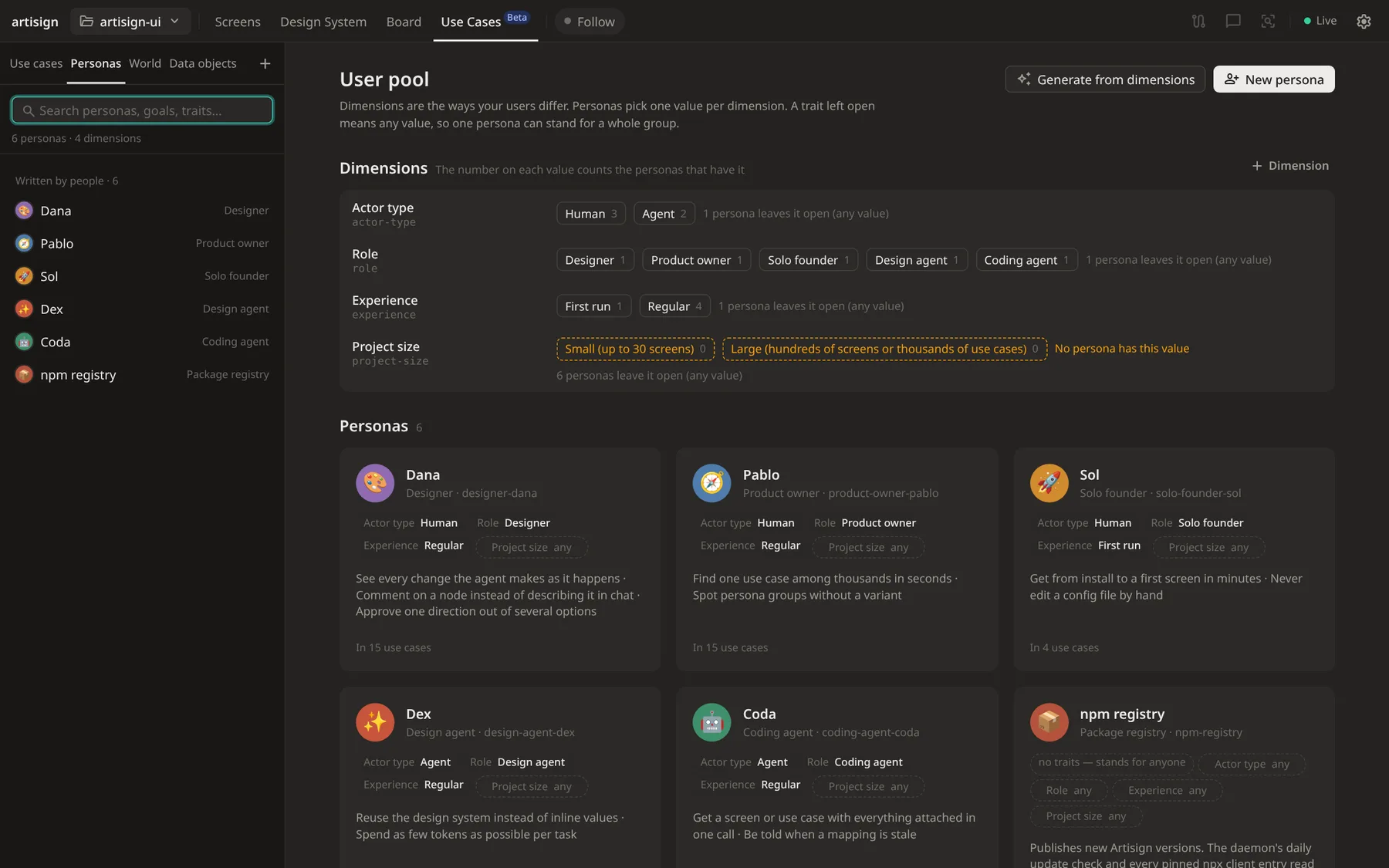
World and Personas in the Use Cases tab of artisign’s own project.
Map each step to a screen and an element. Show on screens puts the flow next to the mapped screens, and the Screens tab lists the use cases that touch a screen.
A step points at a screen, or at one element with an authored id.
A mapping to a node that no longer exists comes back as a warning.
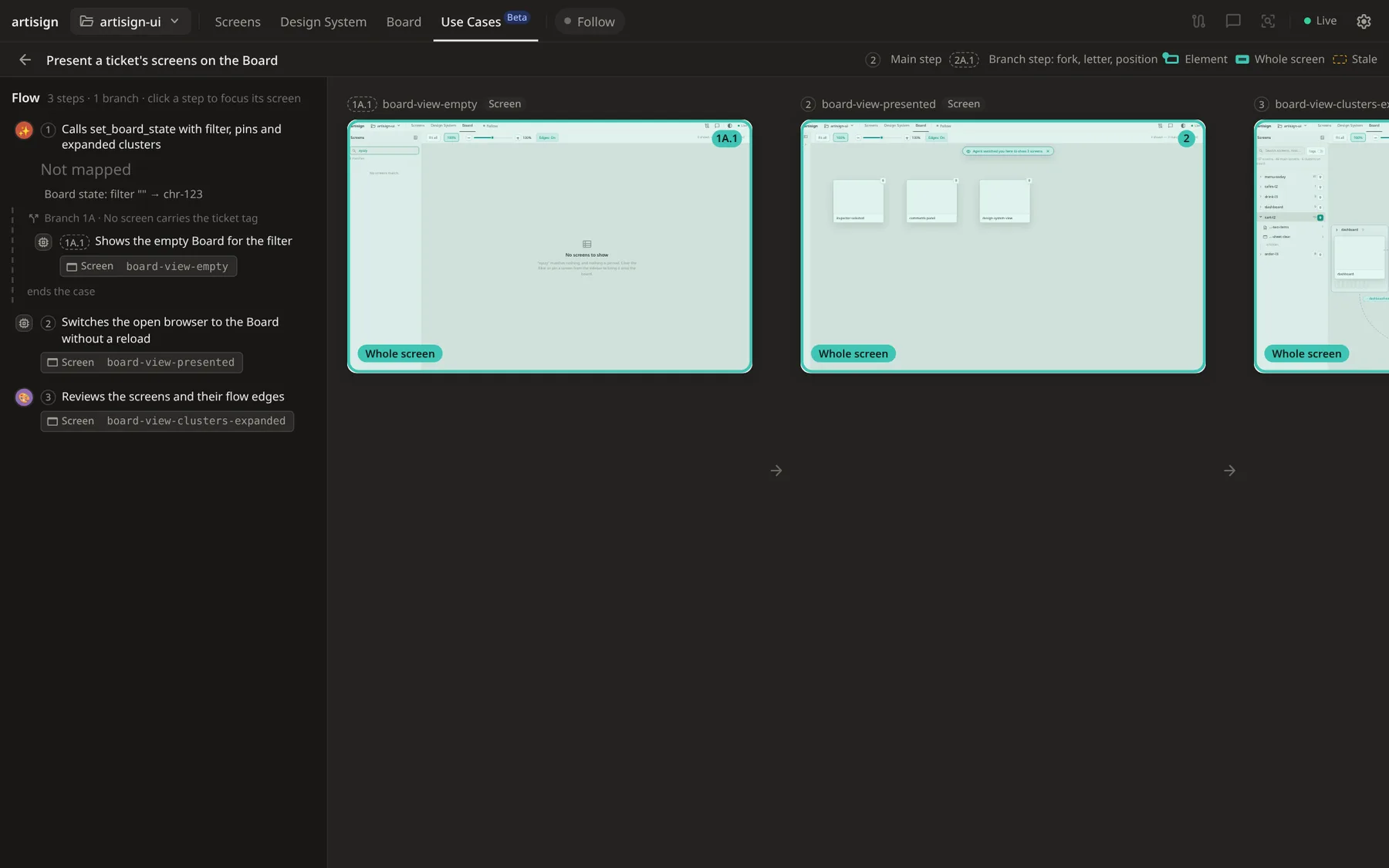
get_use_case returns the use case, its personas, its data objects, the mapped screens with their nodes and, when it has one, its world. Your coding agent builds the app and writes its tests from that bundle.
The variant-resolved case plus everything it references, in one response.
Filter by persona, screen, node, tag, status, text or constellation, with facet counts.
A reference problem in a spec is a warning. Writes still succeed.
The Use Cases tab (beta) lists every case with search and filters. Dialogs create and edit use cases, personas, entities and data objects. Your edits and the agent’s writes land in the same files.
Use case specs live in a usecases/ folder next to your screens. A project without it works as before.
acme/
├── screens/
└── usecases/
├── cases/
├── personas.json
├── data-objects.json
└── world.jsonFive MCP tools cover use case specs: list_use_cases, get_use_case, suggest_use_case_variants, set_use_cases and generate_personas.
The agent designs the screens on a shared design system and maps each step onto them.

npm install -g artisignThen run artisign and ask: “Write the use case specs for ~/work/acme, then design the screens”